Wolfia Blog
Insights on building and scaling customer trust in enterprise sales
 Wolfia · September 3, 2026
AI contract redlining: how it works and what to check
 Wolfia · September 3, 2026
DPA and MSA review checklist for security teams
 Garrett · September 3, 2026
Drata vs Wolfia for security questionnaire automation
 Garrett · September 3, 2026
Loopio vs Wolfia for RFP and DDQ automation
 Garrett · September 3, 2026
Responsive vs Wolfia for private equity DDQs
 Garrett · July 29, 2026
Who has the best AI agent for security questionnaires?
 Garrett · July 29, 2026
SafeBase vs Conveyor: Which One, and the Third Option
 Garrett · July 17, 2026
Conveyor alternative for AI questionnaire accuracy
 Garrett · July 17, 2026
How to catch questions vendor portals add mid-review
 Garrett · July 12, 2026
Drata reviews, pricing, and alternatives (2026)
 Garrett · July 12, 2026
HyperComply reviews, pricing, and alternatives (2026)
 Garrett · July 12, 2026
OneTrust vs ServiceNow for vendor risk and questionnaires
 Garrett · July 12, 2026
Responsive (formerly RFPIO) reviews, pricing & alternatives
 Garrett · July 12, 2026
SafeBase vs Vanta vs Wolfia for security reviews
 Garrett · July 12, 2026
Secureframe reviews, pricing, and alternatives (2026)
 Garrett · July 10, 2026
DORA vendor risk questionnaire requirements for 2026
 Garrett · July 10, 2026
What to do when a questionnaire deadline is 24 hours away
 Garrett · July 10, 2026
Whistic vs Wolfia for vendor trust center automation
- Garrett · July 5, 2026
SafeBase vs Conveyor vs Wolfia for trust centers and questionnaires
 Garrett · July 2, 2026
How to handle vendor risk assessments during renewal season
 Garrett · July 2, 2026
Vendor security assessment checklist for procurement teams
 Garrett · July 2, 2026
When a security questionnaire asks for evidence you lack
 Garrett · June 25, 2026
How to answer a SIG questionnaire without a GRC team
 Garrett · June 25, 2026
Sprinto vs Vanta for compliance questionnaire automation
 Garrett · June 25, 2026
The anatomy of a perfect security questionnaire answer
 Garrett · June 25, 2026
We mapped all 261 CAIQ v4 questions by domain
 Garrett · June 18, 2026
Build a questionnaire knowledge base that maintains itself
 Garrett · June 18, 2026
Loopio reviews, pricing, and alternatives (2026)
 Garrett · June 18, 2026
Qvidian alternatives for modern RFP teams
 Garrett · June 18, 2026
Skypher reviews, pricing, and alternatives (2026)
 Garrett · June 18, 2026
Verbatim, sourced, or agentic AI for compliance answers
 Garrett · June 12, 2026
EU AI Act vendor assessment requirements for SaaS
 Garrett · June 12, 2026
FedRAMP certification data sharing rules for 2027
 Garrett · June 12, 2026
FedRAMP-compatible trust center 2026 requirements
 Garrett · June 5, 2026
1Up vs Wolfia for RFP and security questionnaires
 Garrett · June 5, 2026
How to reduce questionnaire back-and-forth with buyers
 Garrett · June 5, 2026
The real cost of manual security questionnaire responses
 Garrett · June 5, 2026
Whistic vs Vanta vs Wolfia for trust centers in 2026
 Garrett · May 29, 2026
How AI accuracy affects security questionnaire deal velocity
 Garrett · May 29, 2026
Top 50 vendor security assessment questions for 2026
 Garrett · May 29, 2026
When buyers require HITRUST and how to respond fast
 Garrett · May 22, 2026
When a buyer sends a questionnaire and a security addendum
 Garrett · May 22, 2026
CMMC 2.0: what defense contractors ask SaaS vendors
 Garrett · May 22, 2026
Healthcare security questionnaire requirements beyond SOC 2
 Garrett · May 15, 2026
When buyers reject your trust center for a questionnaire
 Garrett · May 15, 2026
How SEs answer security questionnaires without blocking
 Garrett · May 15, 2026
Scale security questionnaire responses as deals double
 Garrett · May 5, 2026
Answer security questionnaires without a security team
 Garrett · May 5, 2026
The complete guide to HIPAA compliance software
 Garrett · May 5, 2026
Due diligence questionnaire guide: 10 DDQ examples

 Naren · May 5, 2026
Your first enterprise security questionnaire
 Garrett · May 5, 2026
How long a 200-question security questionnaire takes
 Garrett · May 5, 2026
How to write an information security policy
 Garrett · May 5, 2026
What inaccurate security questionnaire answers cost you
 Garrett · May 5, 2026
ISO 27001 certification: complete guide
 Garrett · May 5, 2026
How to prioritize security questionnaires
 Garrett · May 5, 2026
Handling a security questionnaire mid-negotiation
 Garrett · May 5, 2026
Who should own security questionnaires at a SaaS startup
 Garrett · May 5, 2026
What is a compliance audit? A complete guide
 Garrett · May 5, 2026
What is SOC 2? A complete guide to compliance
 Garrett · May 5, 2026
Why enterprise buyers send security questionnaires
 Garrett · April 13, 2026
What Is Compliance Monitoring? A Complete Guide
 Garrett · April 13, 2026
What Is a Risk Register? A Complete Guide for Security Teams
 Garrett · April 13, 2026
What Is a SIG Questionnaire? A Complete Guide
 Garrett · April 5, 2026
Best Compliance Management Software: Top 10 Compared
 Garrett · April 5, 2026
Best RFP Software: User Reviews and Comparisons
 Garrett · April 5, 2026
RFP Meaning in Business: Guide to Requests for Proposals
 Garrett · April 5, 2026
Security Questionnaires: Guide for Vendors and Buyers
- Garrett · March 30, 2026
What Are the Best AI Tools for Security Addenda Review? (March 2026)
 Garrett · March 30, 2026
Best Knowledge Management Systems for Security Documentation
 Garrett · March 30, 2026
Best Portal Integration Tools for OneTrust and ServiceNow
 Garrett · March 30, 2026
Security Questionnaire Automation: Complete Guide for March 2026
 Garrett · March 30, 2026
SecurityPal AI Reviews, Pricing, and Alternatives (2026)
 Garrett · March 30, 2026
SecurityScorecard Reviews, Pricing, and Alternatives (2026)
 Garrett · March 30, 2026
Third-Party Risk Management: Complete Guide for March 2026
 Garrett · March 30, 2026
What Are Compliance Frameworks? Complete Guide for 2026
 Garrett · March 30, 2026
Wolfia vs Arphie: Which Tool Works Better for Your Team? (March 2026)
- Garrett · March 9, 2026
Best Contract Redlining Tools for Security Teams in March 2026
 Garrett · March 9, 2026
Best Trust Center Software: 8 Tools Compared (2026)
 Garrett · March 9, 2026
Top Chrome Extensions for Security Questionnaires
 Garrett · March 9, 2026
Top Vendor Security Assessment Platforms
 Garrett · February 28, 2026
Top 10 GRC Tools and Software Providers (2026 Guide)
 Garrett · February 28, 2026
Trust Center Implementation Guide: Best Practices (2026)
 Garrett · February 28, 2026
Wolfia vs SecurityPal AI: Which is Better? (February 2026)
 Garrett · February 16, 2026
Best Security Questionnaire Automation Tools (2026)
 Garrett · February 16, 2026
Conveyor reviews, pricing, and alternatives (2026)
 Garrett · February 16, 2026
2026 SafeBase Pricing, Reviews & Alternatives After the Drata Deal
 Garrett · February 16, 2026
Vanta Pricing 2026: How Much Does Vanta Cost, Plus Alternatives
 Garrett · February 16, 2026
Wolfia vs Conveyor for Security Questionnaires
 Garrett · February 16, 2026
Wolfia vs Vanta for Security Questionnaires
 Naren · January 30, 2026
Advanced Analytics for Security, GRC, and Sales
 Naren · January 29, 2026
Explain: Decode any security question instantly
 Naren · January 28, 2026
Knowledge Hub: Every source, every expert, one warehouse
 Naren · January 27, 2026
Chrome Extension: Answer questionnaires directly in vendor portals
 Naren · January 26, 2026
Ask Wolfia: Your company knowledge, one question away
 Naren · January 20, 2026
Repetition is a bug
 Naren · August 11, 2025
GPT-5 vs GPT-5-mini vs GPT-4.1: benchmark on 275 real tasks
 Naren · August 6, 2025
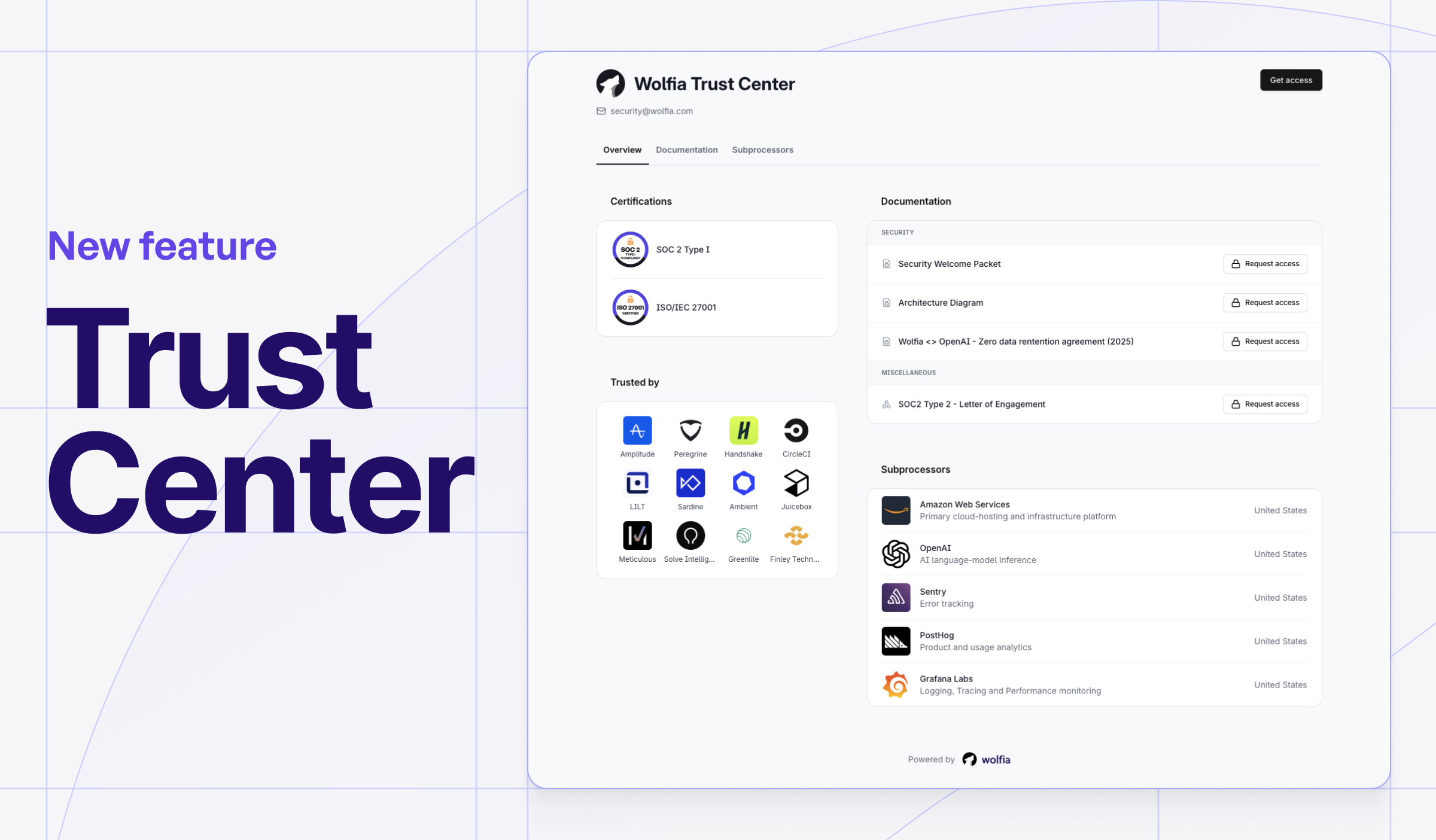
Introducing: The trust center that delights customers
 Naren · February 28, 2025
o3-mini vs GPT-4o for Technical Sales Accuracy